🚨 Prerequisites
Before you start, make sure you have:- An Nmbrs Accounting account with the Management or Backoffice role in your domain. Only these roles can create a web service API key.
- To send purchase invoices: a domain on a Minimal, Small, Medium, Large or Unlimited bundle.
- To send sales invoices on the Minimal bundle: the Sales web service feature, billed to your accountant’s office at €10.50/month.
🛠 Preparation
1
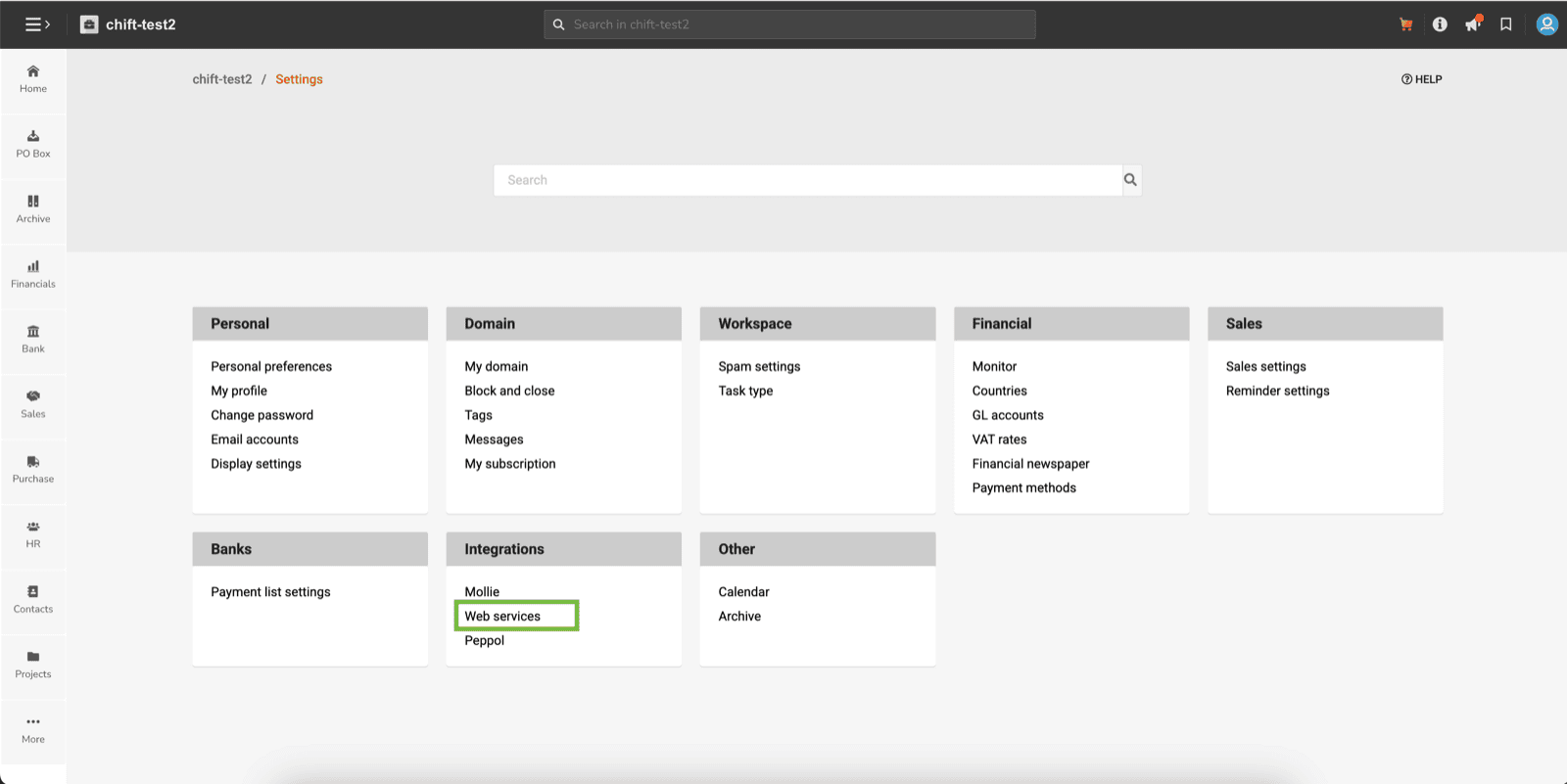
Open the web services settings
Log in to Nmbrs Accounting. In the bottom-left corner, click More, then Settings.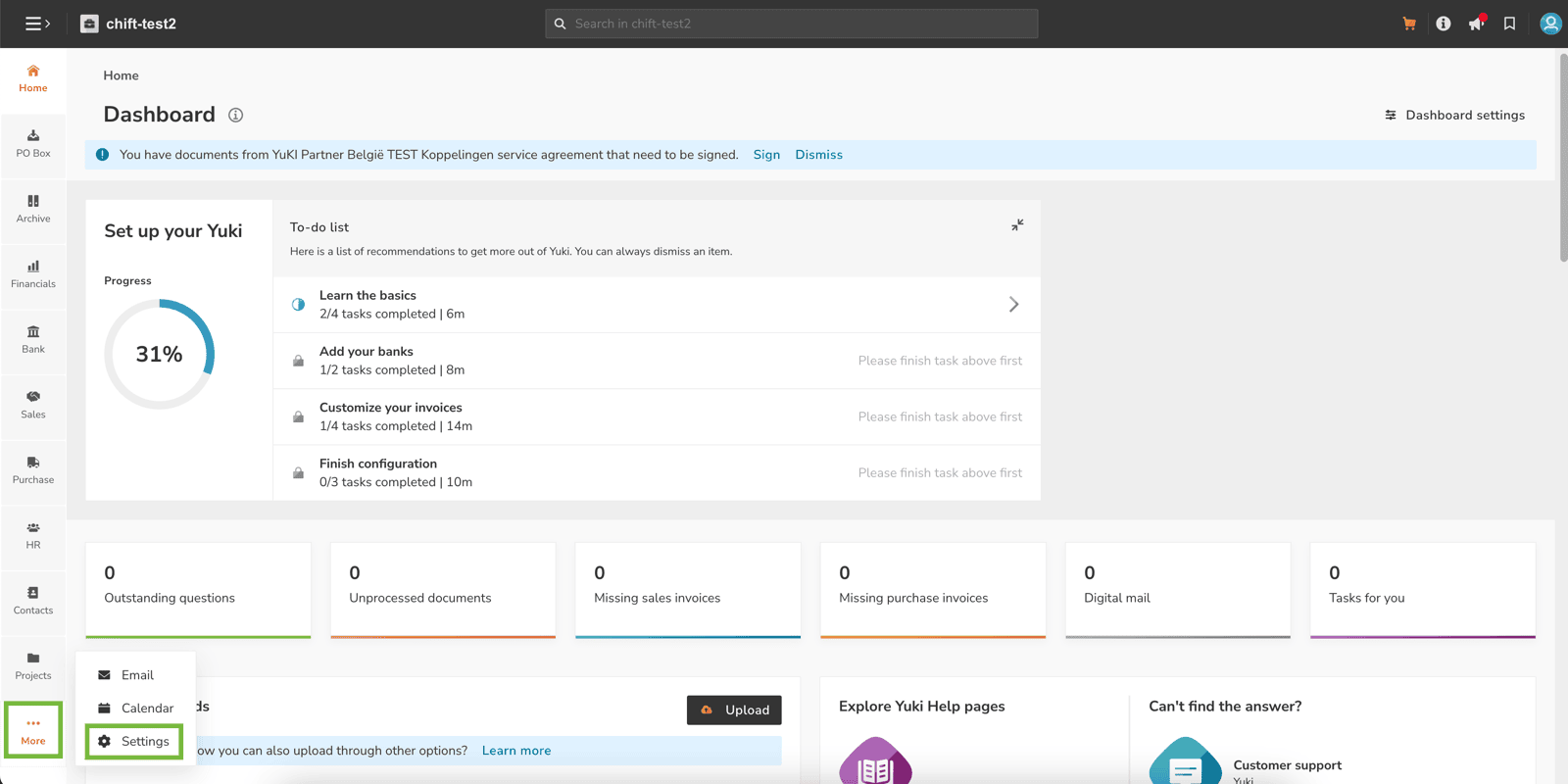
2
Create a new API key
Click the + button in the top-left corner.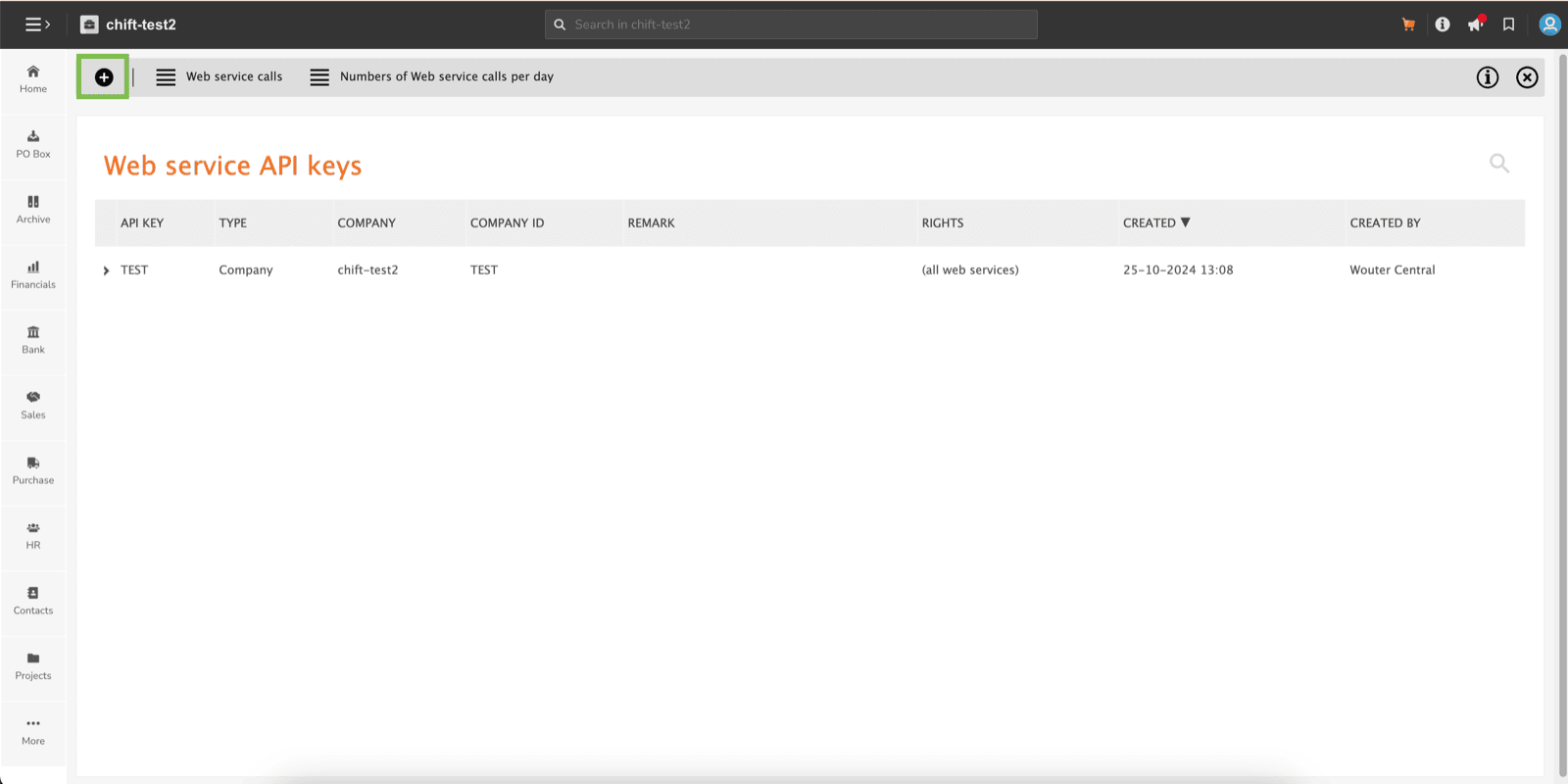
3
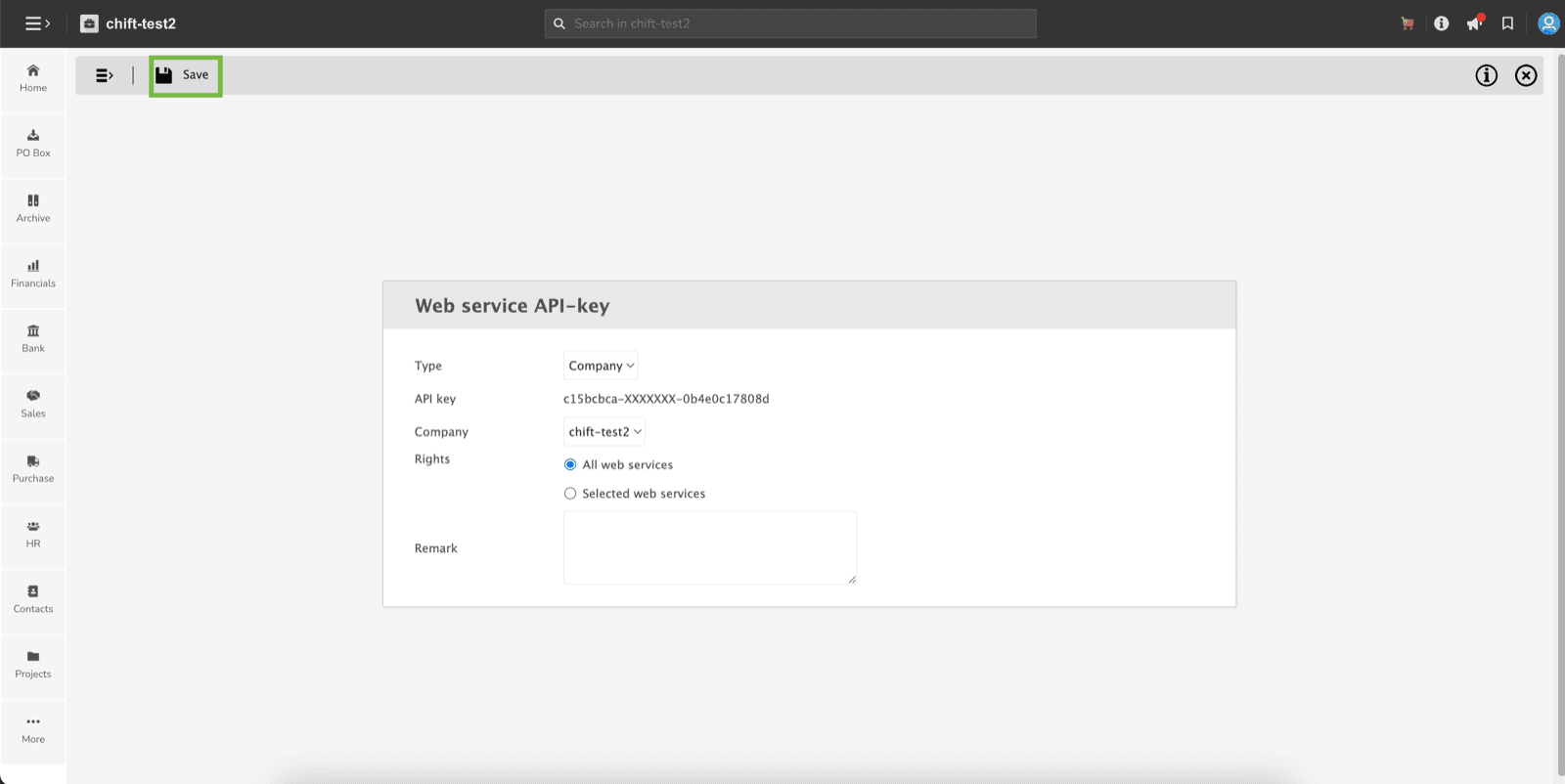
Fill in the key
Click Save in the top-left corner. Copy the API key: you will paste it into the connection form.
⚡️ Connection
1
Name your connection
Choose a name you will recognise later.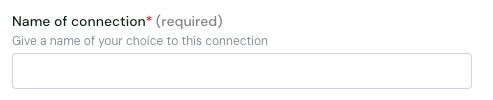
2
Fill in the connection form

3
Click Connect
Click Connect to finish the connection.