

This feature is available upon request only.
For connections:
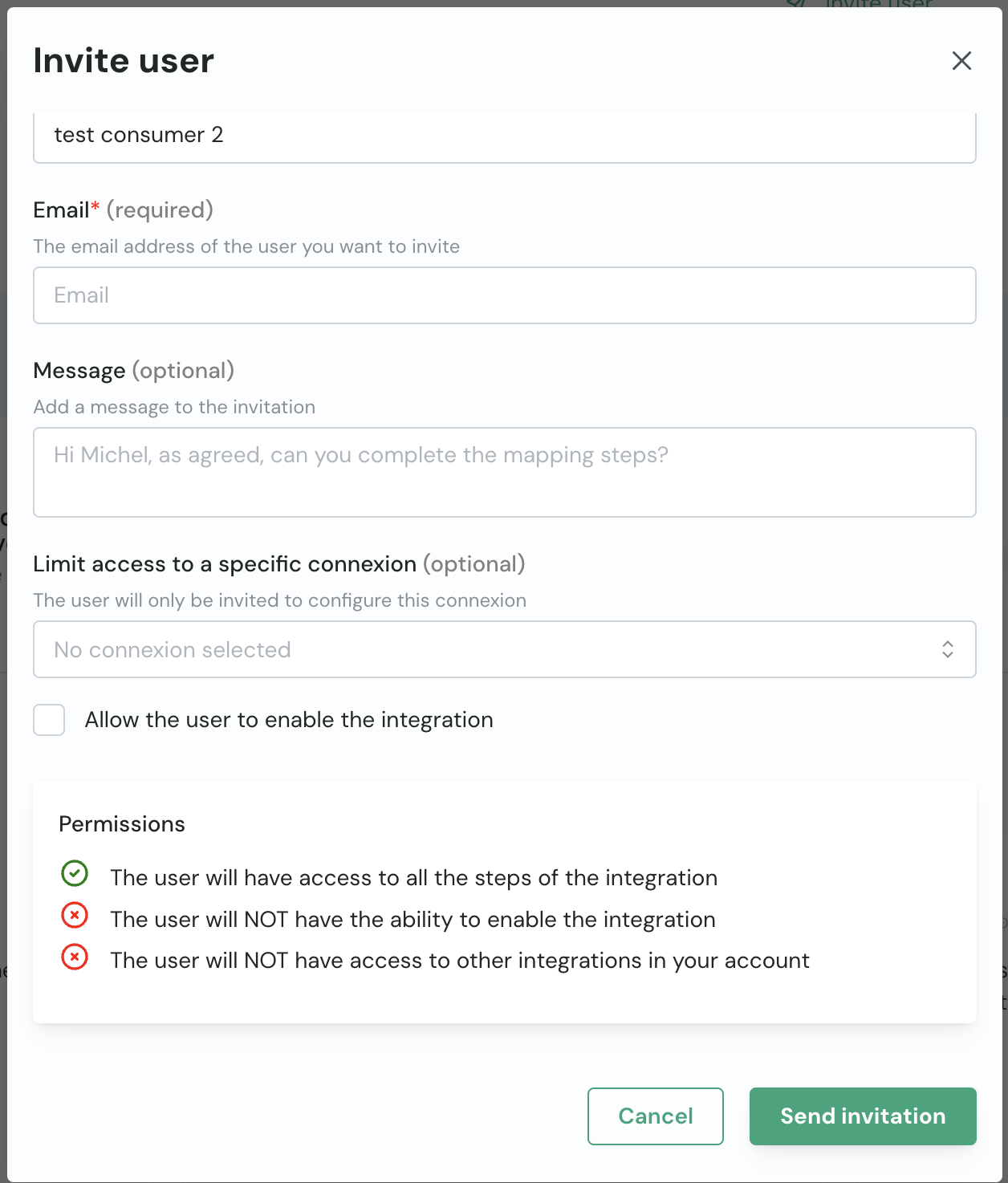
- The consumer invites an external person through the “Invite user” button on the public connection page.
- The consumer fills in the form with the external person’s information and a message.

- An email is sent to the external person with a temporary (valid for 7 days) and secure link to the connection page.
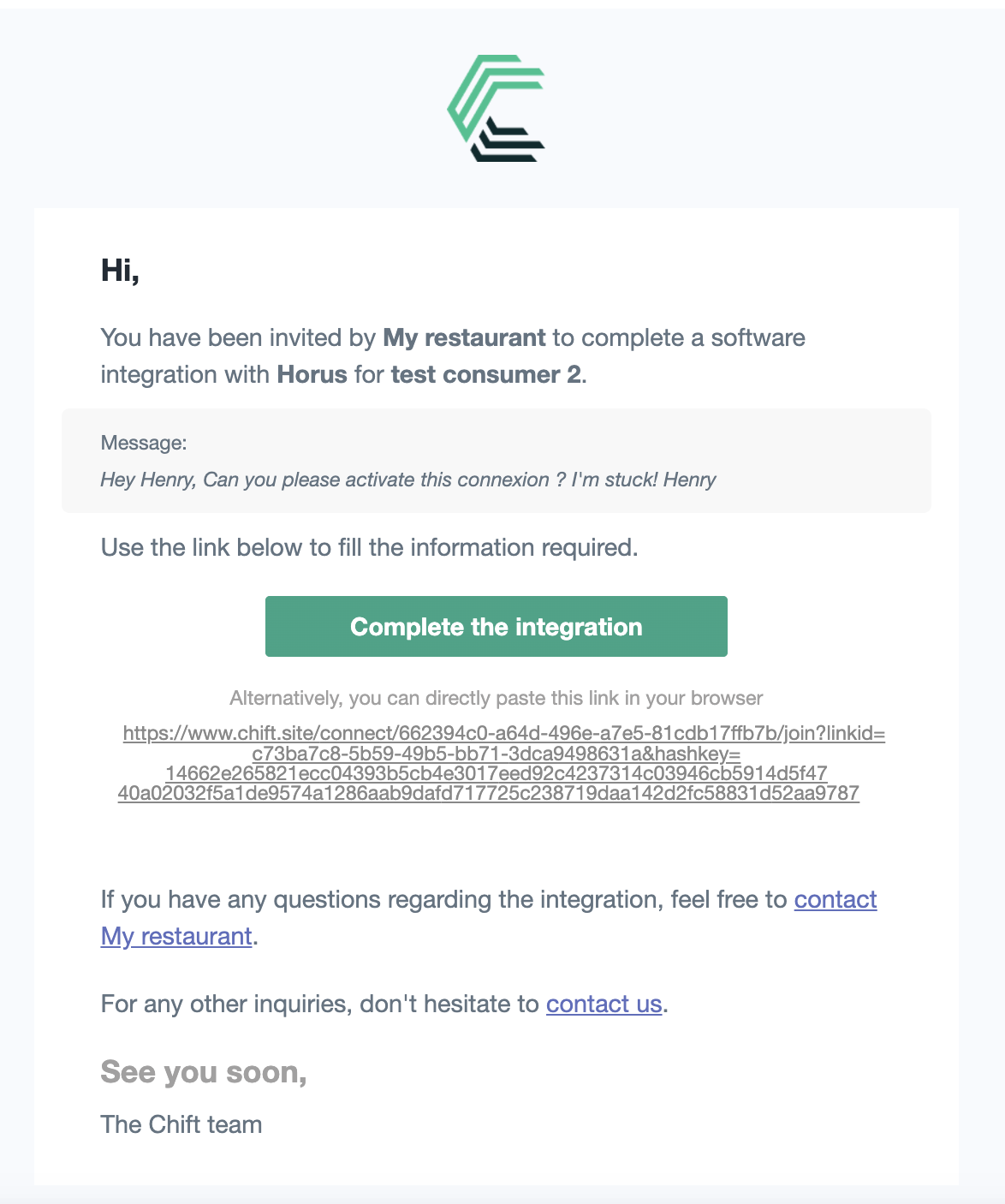
- The external person clicks the link and is redirected to the connection page.
- The external person can then connect the software.
- The connection is created and the consumer is notified (if the consumer has an email address).
Through the connection logs, you can see that an external person activated the connection.
For syncs (only if you are using syncs):
- The consumer invites an external person through the “Invite user” button on the public sync page.
- The consumer fills in the form with the external person’s information and a message.
- An email is sent to the external person with a temporary (valid for 7 days) and secure link to the sync page.
- The process is then the same as for a connection.