

Overview of connections
The main dashboard gives you a clear view of all your consumers’ connections. It gives you an overview of the number of active consumers. A consumer is considered as active if there is at least one active connection.
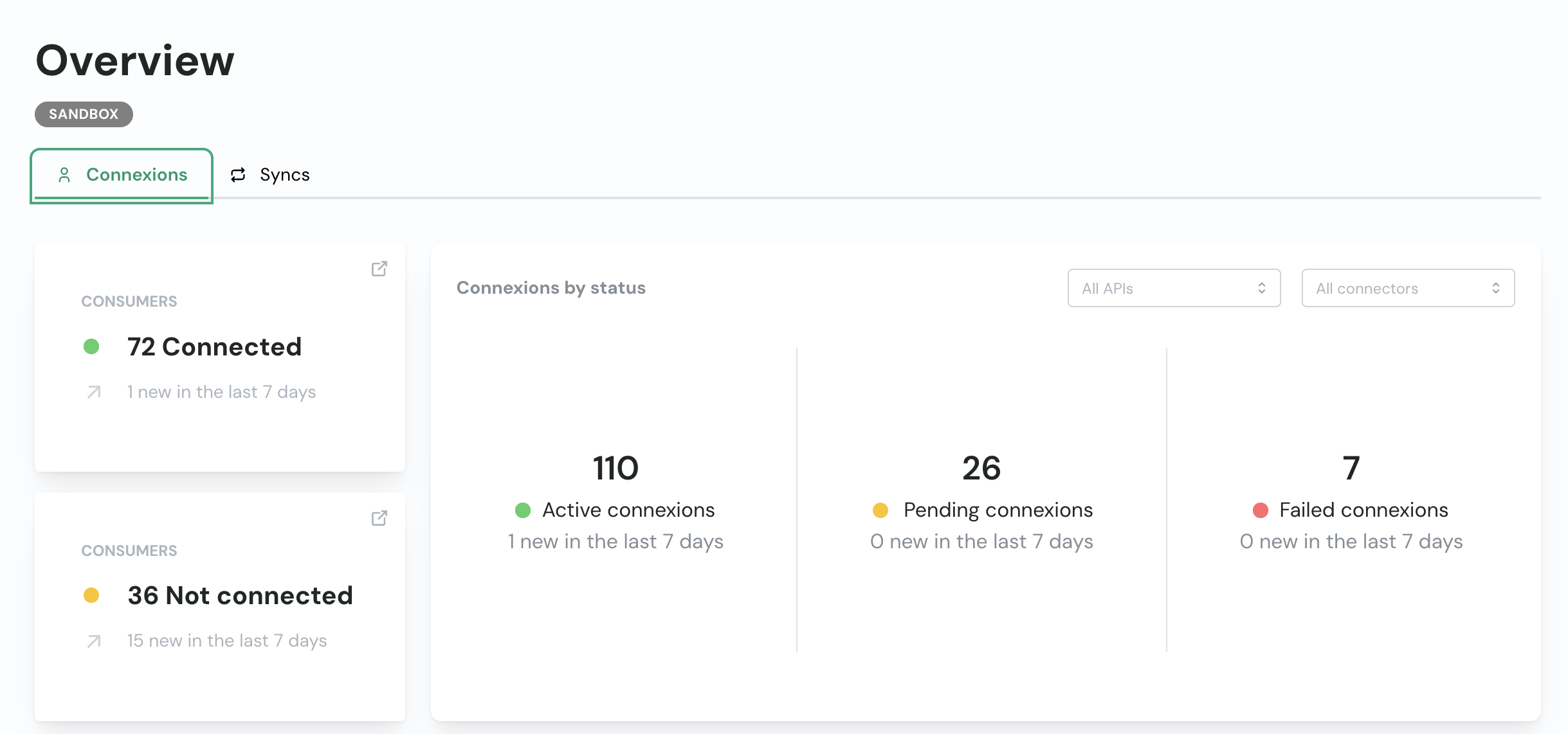
Pending connections are connections that were initiated but not finished.
Failed connections are connections that failed to authenticate due to an authentication error (e.g. wrong credentials, permissions issues, …).
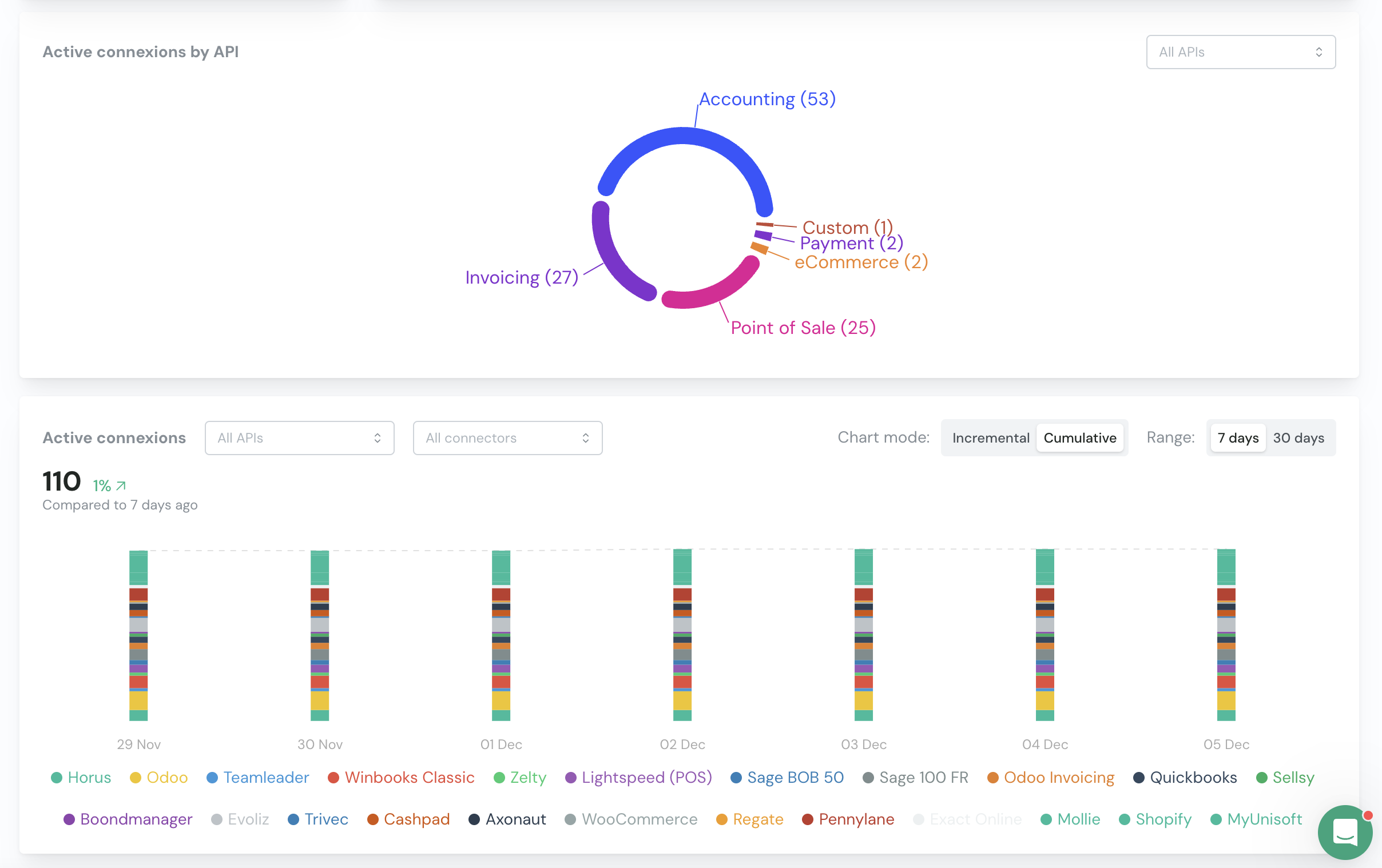
You can drill down to see more details about each Unified API or connector.
Overview of syncs
Only when you are using syncs.
An active connection does not mean the sync is activated.
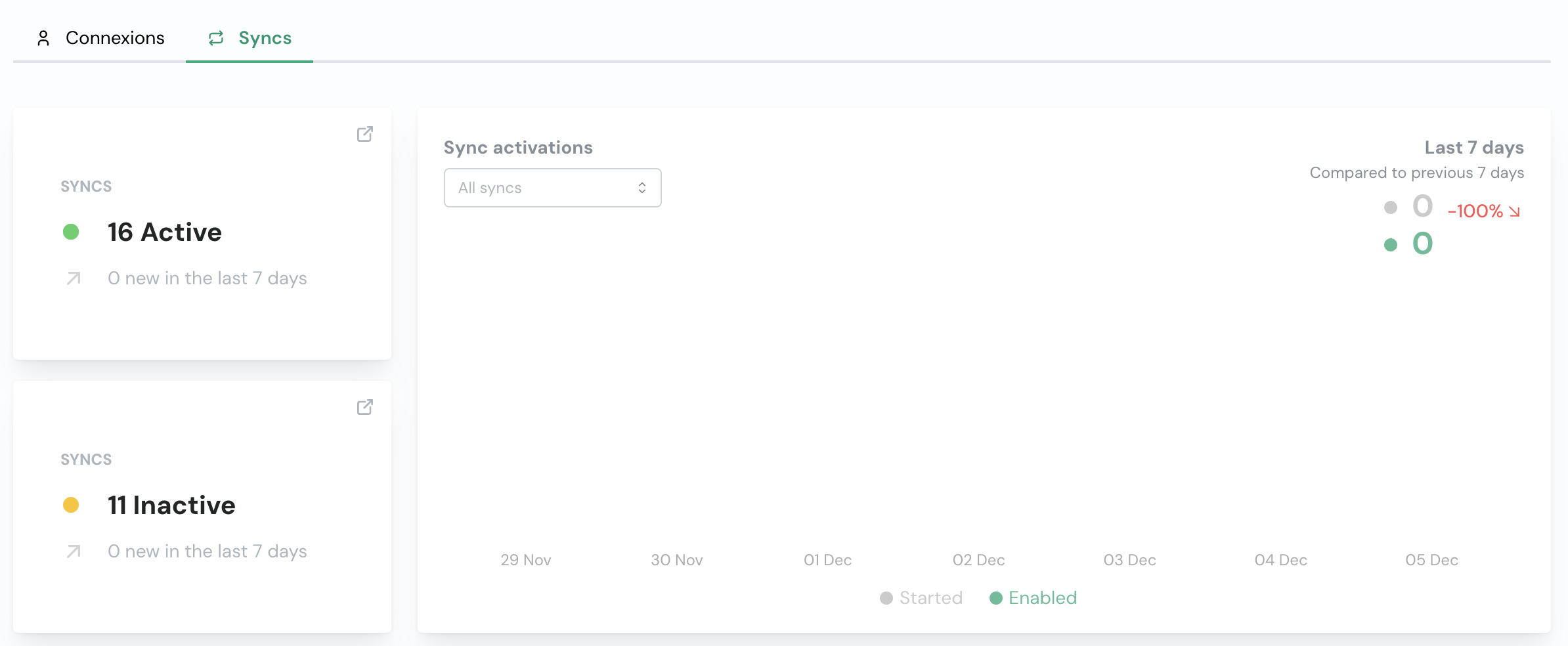
The most important metric for you to track is the number of active syncs.
A sync is considered as active for one consumer if the configuration was successfully completed.
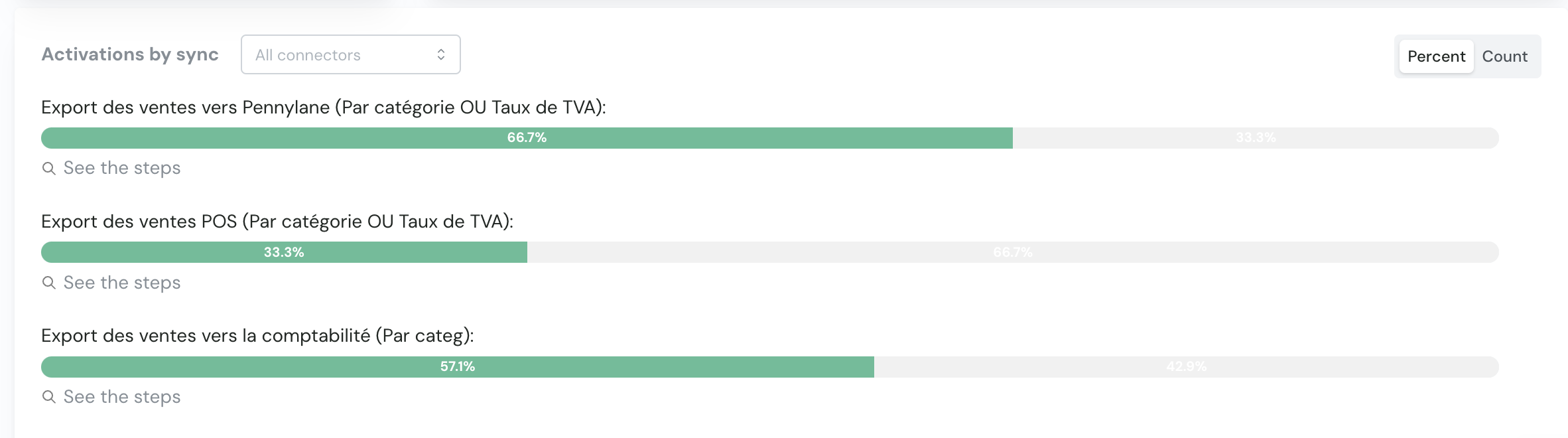
You can drill down to see more details about each step of the sync and where it might have failed.
List of consumers (by connections)
Navigate to the Consumers page and you will see a list of all your consumers.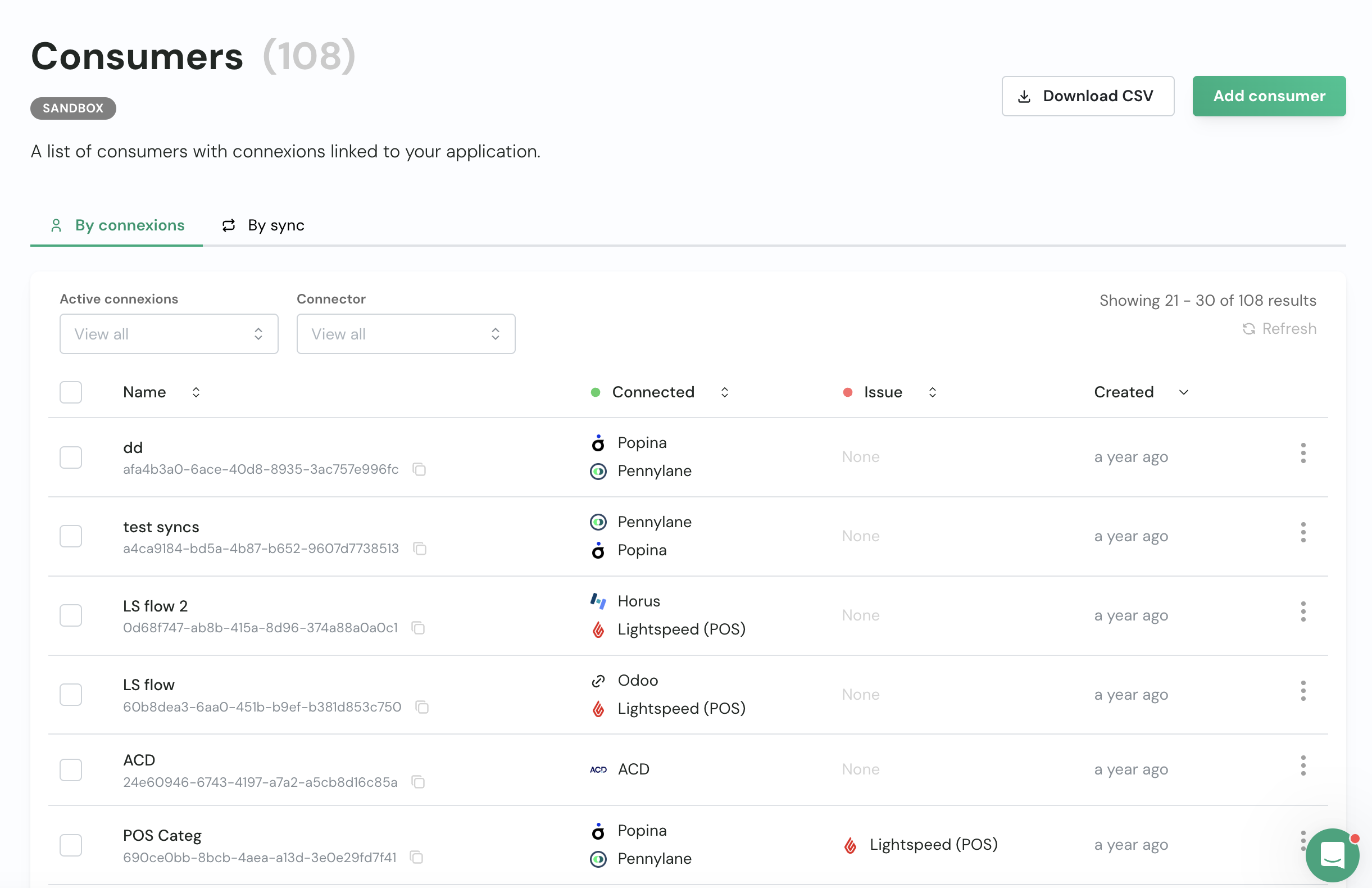
consumer_id by using the global search bar.
You can download the list of consumers visible on your screen by clicking on the ‘Download CSV’ button.
- Connection failed (name of connector)
- Nothing: no connection process was initiated
List of consumers (by syncs)
Only when you are using syncs.
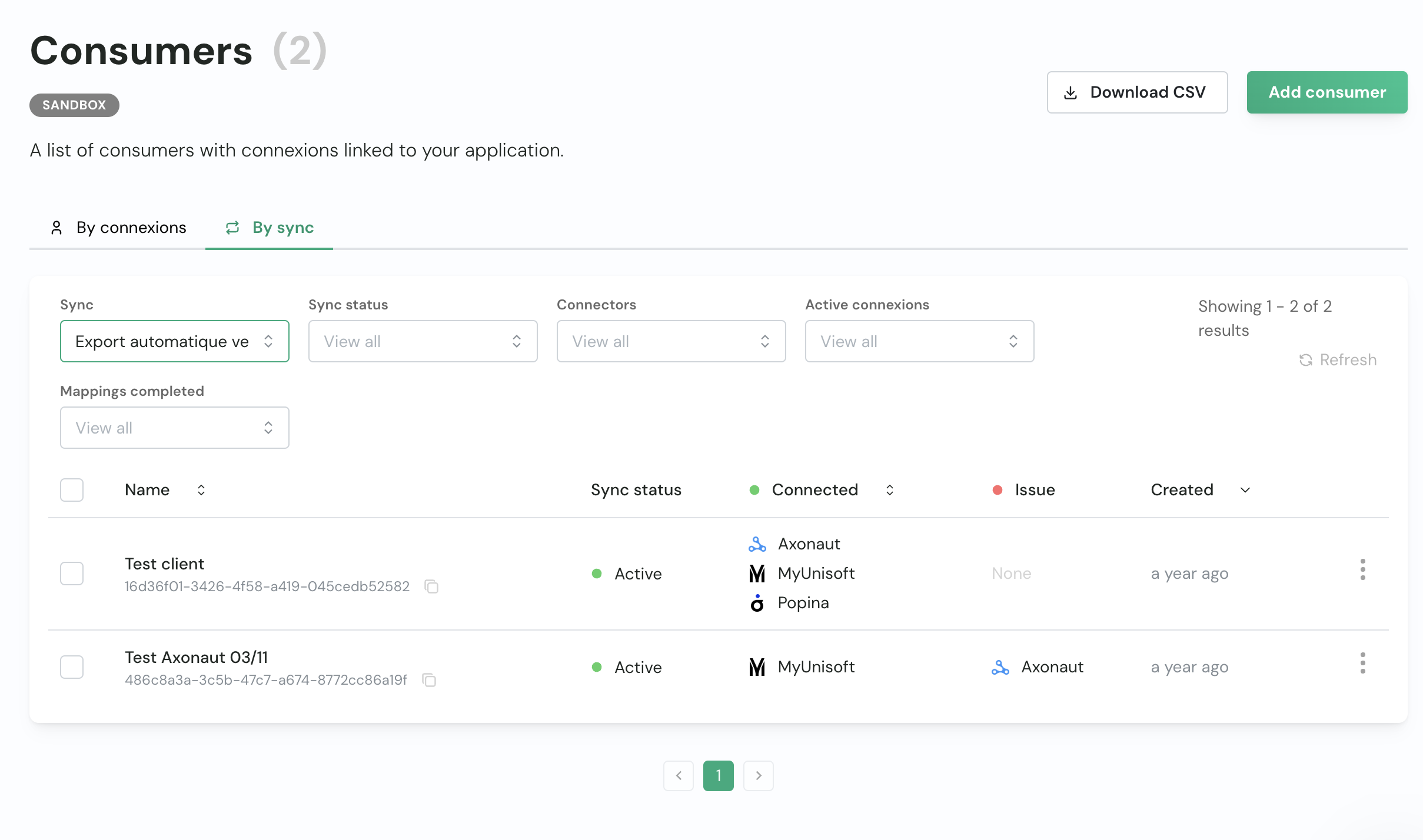
- Connection failed (name of connector)
- No connection: required connections are missing
- Mapping incomplete: some mappings were not correctly set
- Configuration incomplete: the configuration was not completed and the sync was not activated
Next steps
- Learn about Issues management
- Set up Email reminders
- Explore the Help center for troubleshooting guides