

Overview legend
Overview legend
Introduction
e-conomic is a cloud-based accounting system from Visma, widely used in Denmark. It covers invoicing, bookkeeping, bank reconciliation, VAT reporting and financial reporting.Activate e-conomic
Partner keys
You can use Chift’s app, or register your own with e-conomic.Use Chift's app
Reach out to your Chift point of contact, who activates it for you. No developer account needed. The app appears under the Chift name on the end user’s e-conomic account.
Use your own app
Register your own e-conomic developer app. Requires an e-conomic developer agreement. The app then appears under your own brand name on the end user’s e-conomic account.
1
Sign up for a developer agreement
Sign up for a free developer agreement on the e-conomic Developer Network.
2
Create the app
In your developer account, go to the Apps tab and click New app.
3
Fill in the app form
Fill in the New app form. The name and roles cannot be changed later.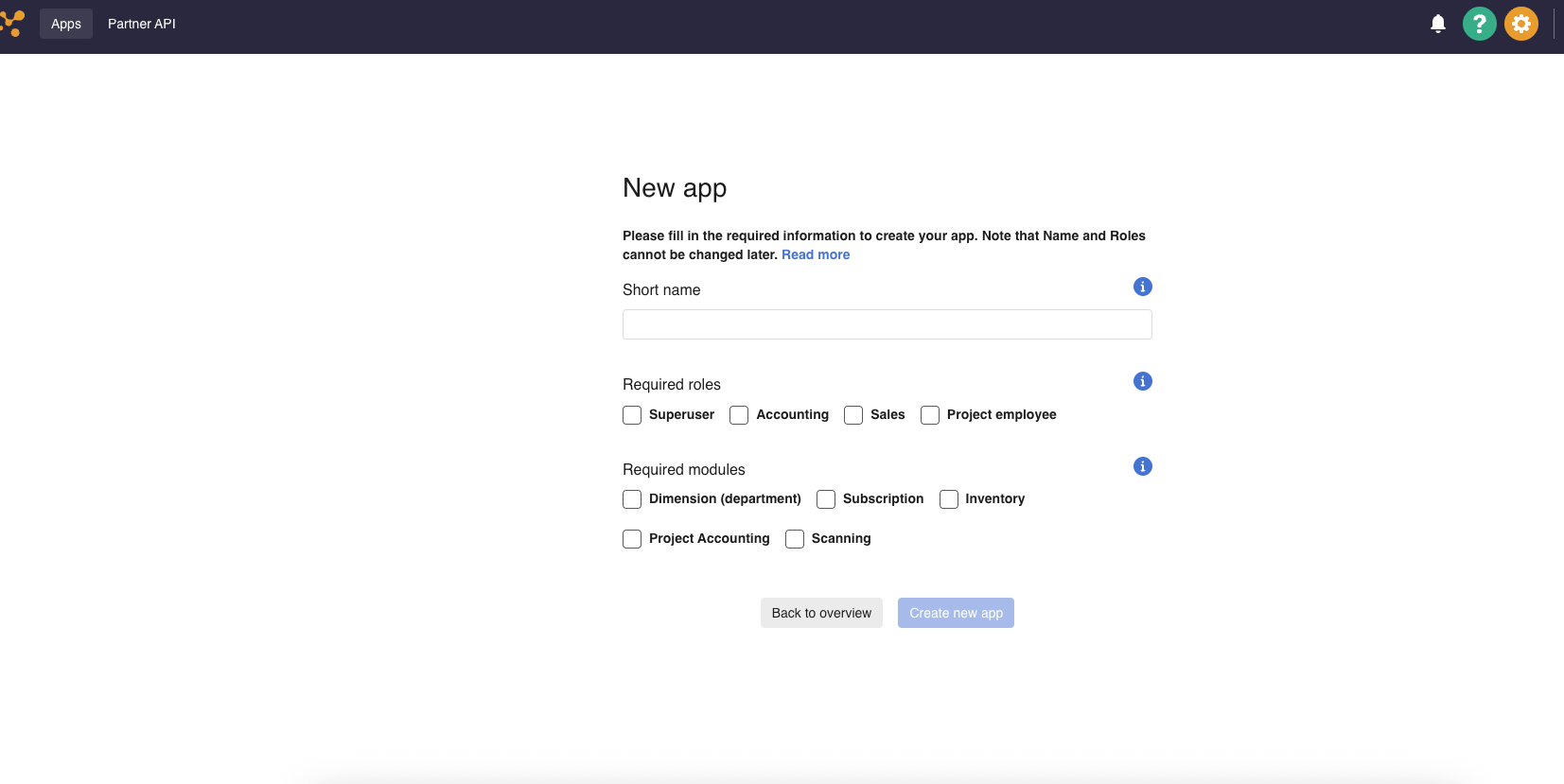
- Superuser: recommended for full accounting integrations, covering journals, customers, invoices, suppliers, attachments and company info.
- Bookkeeping: for journals, entries, accounts, suppliers and attachments only. It does not cover customers or company information.
- Sales: for customers and invoices.
- Project employee: not applicable to the Chift connector.
4
Retrieve the app credentials
After creating the app, copy the AppSecretToken, the AppPublicToken and the InstallationURL from the app’s credentials page. The AppSecretToken is shown once: copy it before leaving the page.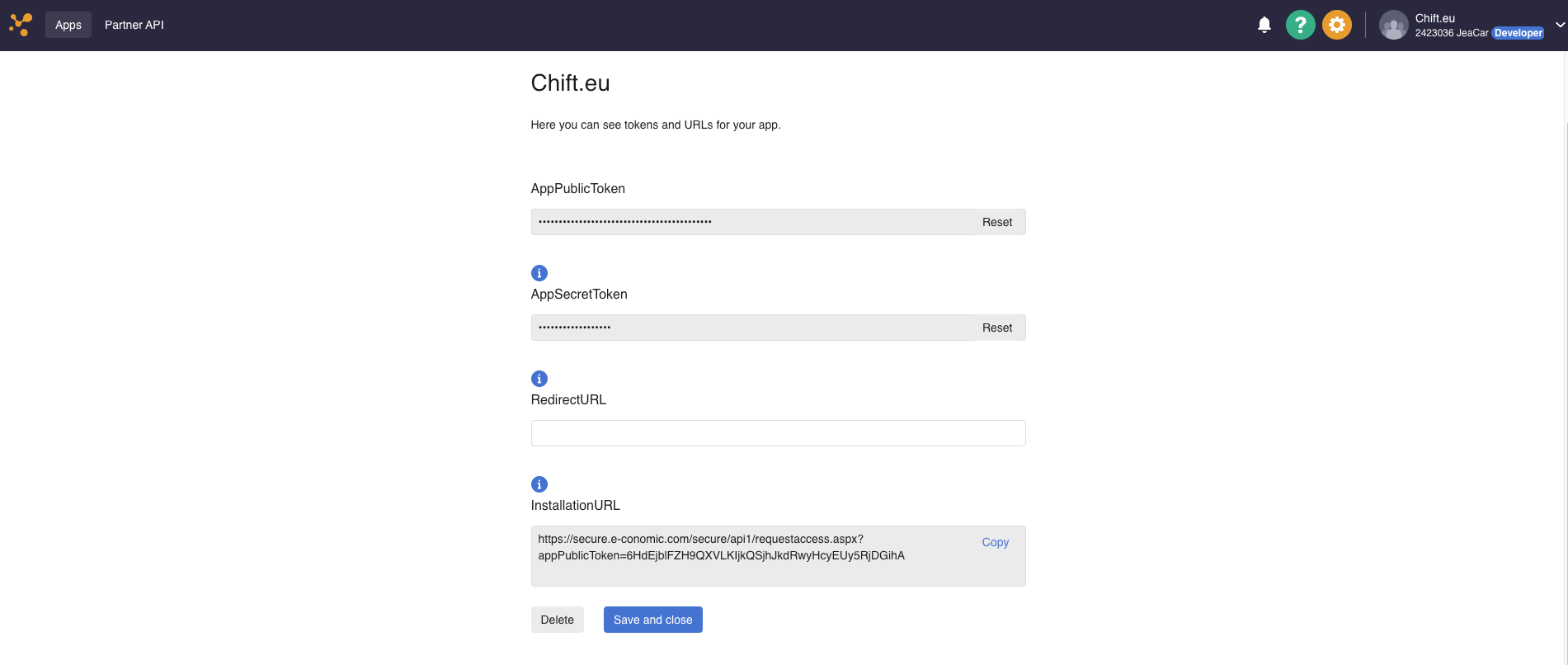
Activate e-conomic in your Chift account
In Connectors, enter your App Secret Token, App Public Token and Installation URL.
Connector settings
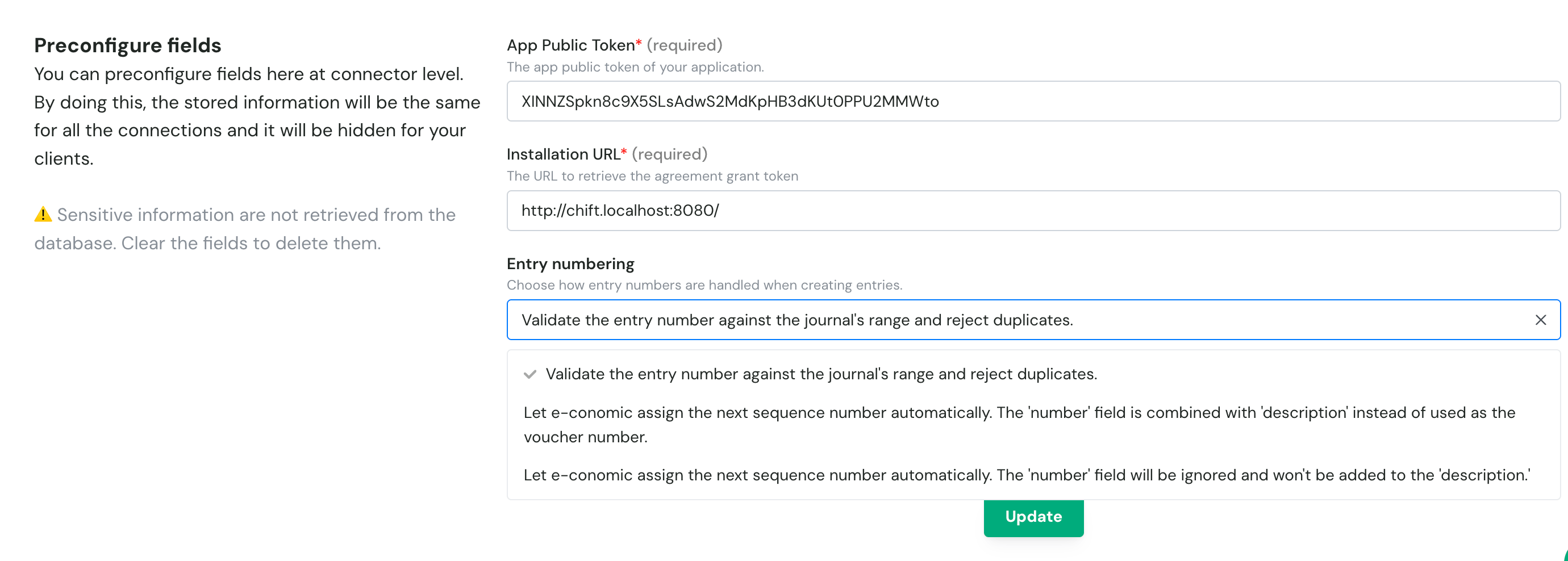
- Validate the entry number against the journal’s range and reject duplicates. (default): Chift checks the number you send against the journal’s range. It also checks for duplicates across all journals, among booked and draft entries of the same accounting year. This is because e-conomic doesn’t prevent duplicates across journals, and booked entries carry no journal information.
- Out of range: returns
ERROR_INVALID_FIELD_FORMAT_NUMBER(422). - Duplicate found: returns
ERROR_ENTRY_NUMBER_ALREADY_USED(409).
- Out of range: returns
- Let e-conomic assign the next sequence number automatically. The ‘number’ field is combined with ‘description’ instead of used as the voucher number.: e-conomic assigns the voucher number from the journal’s own sequence. The entry number that would have been used is appended to the description instead.
- Let e-conomic assign the next sequence number automatically. The ‘number’ field will be ignored and won’t be added to the ‘description’.: e-conomic assigns the voucher number from the journal’s own sequence. The entry number that would have been used is discarded and does not appear anywhere on the entry.
Test e-conomic
The trial is a real e-conomic agreement: it uses the same APIs as production. There is no separate sandbox base URL.
Vendor fees
No vendor fees, for you or your end users.
Connect e-conomic
e-conomic setup guide for end users
The full step-by-step, with screenshots.
- an active e-conomic subscription
- a Superuser login, or a user with the rights matching the roles of your app: Accounting, plus Sales to handle customers
- open the Installation URL shown in the connection form, sign in to e-conomic and accept the access request
- copy the Agreement grant token e-conomic displays and paste it into the Agreement Grant Token field
- choose a default group for domestic clients and suppliers, which is required to create clients or suppliers
- optionally choose a group for European and international ones, which otherwise fall back to the domestic group
Rate limits
e-conomic uses a cost-based token bucket system (rolled out December 2025). Rather than limiting the number of requests per second, e-conomic limits the cost of requests, where each endpoint has a different cost based on its load on the platform.
When a limit is exceeded, e-conomic returns an HTTP
429 Too Many Requests error. Response headers include:
X-CallCost: the token cost of the request just made.X-RateLimiting: current bucket status (e.g.limit-2000-per-60-seconds: 1450/2000).
Limitations & specificities
Numbering
Numbering
Entry numbering behavior is configured at connector level. See Connector settings above for the available options.Risks with automatic assignment, with either of the two “Let e-conomic assign” options:
- Sequence can run out of range. The sequence has no awareness of the journal’s configured min/max, and can drift past it. e-conomic then returns
ERROR_JOURNAL_NOT_CONFIGURED(400): “The next sequence for the journal entry id is out of bound. Please choose another journal or increase the max possible sequence number in the configuration of the journal.” The fixes:- Switch journal.
- Raise the journal’s max. This is not possible once it’s at the system ceiling of
999999999. - Lower the journal’s sequence value instead.
- Turn off automatic assignment.
- Lowering the sequence can cause duplicates. A journal’s sequence can be lowered manually in e-conomic, for example to work around a maxed-out range. New entries can then collide with previously created ones, and e-conomic gives no signal when this happens.
- Duplicates across journals are merged. Booked entries carry no journal reference, so two entries from different journals sharing the same voucher number and year are merged into one. An example of such a number is
2026$9002602. This can happen even without a manual sequence change, since each journal has an independent counter.
Journal entries
Journal entries
e-conomic journals have an
allowedEntryType field that restricts which account types can be used within a journal.- Only the forbidden third-party account type is rejected. The counterpart
general_accountline is always accepted. - Even in a type
0journal, an entry cannot mix a customer account and a supplier account. - An
employee_accountline is never supported. It returnsERROR_ACCOUNT_TYPE_NOT_SUPPORTED. - A forbidden third-party account returns
ERROR_PARTNER_NOT_GOOD_SCOPE. - A forbidden general account returns
ERROR_ACCOUNT_NUMBER_NOT_GOOD_SCOPE.
GET /consumers/{id}/accounting/journals to retrieve journals and their restrictions.In a type 2 journal, Chift adds no counterpart line of its own. An entry with exactly one customer_account line and one general_account line is sent as a single line, with the general account as its contra account. Any other entry is sent line by line.Sending a force_general_account line for a customer or supplier account books that line to the general account you specify instead of the customer’s or supplier’s collective account, as long as you don’t also send prioritise_thirdparty_account.Invoices
Invoices
Invoices are read from e-conomic’s entries, both draft (still in a journal) and booked:
- Customer invoices: invoices created with e-conomic’s invoicing, and entries of type Manual Customer Invoice.
- Supplier invoices: entries of type Supplier Invoice.
- Filtering invoices by journal is not supported: a request with
journal_idsreturns an error. Booked entries in e-conomic carry no journal reference. - An invoice ID is built from the entry type, the date and the voucher number, for example
3$20260115$1042. A fourth part is added when several invoices share these three values.
Chart of accounts & VAT
Chart of accounts & VAT
- Send the VAT code in
tax_info.tax_code. - Send a
tax_amountconsistent with its rate: non-zero for a positive-rate code, zero for a zero-rate code. - For a reverse-charge code, also send
reversed_vat_account. It is required in that case and rejected otherwise.
Contacts (clients & suppliers)
Contacts (clients & suppliers)
Creating a client or a supplier requires a default Domestic group to be set on the connection. See Connect e-conomic above. Without it, the creation fails with
ERROR_CONFIGURATION_CONNECTION.Multi-folder
Multi-folder
Each e-conomic connection maps to a single accounting agreement: one Chift connection is one e-conomic agreement.